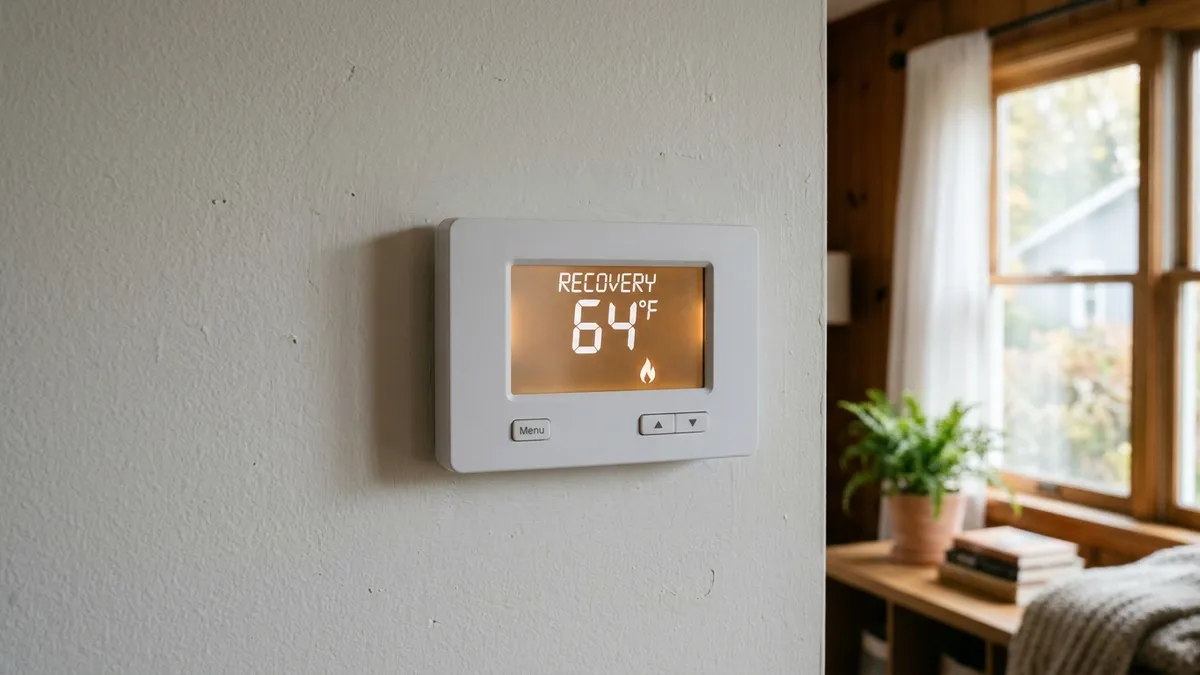
When a Honeywell thermostat shows “Recovery” (or “In Recovery” or “Active Recovery” on some models), it isn’t an error. It means the thermostat’s Adaptive Intelligent Recovery feature has started heating or cooling early, so your home reaches the next scheduled temperature on time instead of starting to change at that time. It’s normal, it ends on its own, and you can turn it off if you’d rather the system start exactly at the scheduled time.
Last updated: October 2026. Based on Honeywell Home documentation; the exact message and menu names vary by model, so check your user guide.
What “Recovery” means on a Honeywell thermostat
Programmable Honeywell thermostats let you set a cooler temperature at night or while you’re away (the setback) and a comfortable temperature for when you’re home. Without Recovery, the thermostat waits until the scheduled time to start heating, and the house is still cold for the next half hour or more.
Adaptive Intelligent Recovery fixes that. It learns how long your system takes to warm or cool the house, then starts early so you’re comfortable at the scheduled time. While it’s doing that, the display shows “Recovery” or a similar message under the room temperature. Honeywell describes the feature as learning how long your system takes to reach your set temperatures.
| What you see | What it means | Action needed |
|---|---|---|
| “Recovery” before a scheduled change | System started early to hit the next setpoint on time | None |
| “Recovery” and the setpoint looks lower than expected | The thermostat is still showing the old setpoint while it ramps up | None; wait for the schedule time |
| “Recovery” for hours, temperature not rising | The system can’t keep up or isn’t heating | See troubleshooting below |
| “Recovery” with a heat pump and backup heat running often | Recovery may be bringing on backup heat to catch up | Consider adjusting the schedule or turning Recovery off |
Why the system starts before the schedule
Say your schedule changes from 62°F to 68°F at 6:30 a.m. If your furnace needs 40 minutes to warm the house 6 degrees, Recovery starts heating around 5:50 a.m. The thermostat adjusts that start time from day to day based on the weather and how long previous recoveries took. That’s why the start time can be earlier on very cold mornings.
Is Recovery mode bad for my energy bill?
Not usually. The system runs about the same amount it would anyway; it just runs a little earlier. The one exception is a heat pump with electric backup heat. If Recovery tries to raise the temperature quickly, some thermostats may bring on the more expensive backup heat to catch up. If your bills are high in winter, a smaller setback (2 to 4 degrees instead of 8) often saves more than a large one. See heat pump emergency heat for how backup heat works.
How to turn off Recovery on a Honeywell thermostat
On most programmable Honeywell models, Adaptive Intelligent Recovery is an option in the installer setup menu (sometimes called installer options or advanced settings). The general steps:
- Set the system to Off.
- Press and hold the button combination for installer setup listed in your manual (on many models, holding two buttons for about 5 seconds).
- Step through the function numbers until you find Adaptive Intelligent Recovery (some newer models call it Smart Response).
- Change it from 1 (on) to 0 (off), then exit setup.
The function number and button combination differ by model, so look up your model number (usually on the back of the faceplate) and follow its manual. On Wi-Fi models you may find the setting in the Honeywell Home app instead.
When “Recovery” means something is wrong
Recovery itself is never the problem, but it can expose one. If the display shows “Recovery” for a long time and the temperature barely moves:
- Check the filter. A clogged filter restricts airflow and slows heating and cooling. See how often to change your air filter.
- Check that heat is coming out of the vents. If the thermostat calls for heat but the air is cold, see thermostat says heat on but no heat.
- Check the batteries. Weak batteries can cause odd behavior on many Honeywell models. See Honeywell thermostat not working.
- Check the thermostat location. A thermostat near a drafty door or in direct sun reads the wrong temperature and can recover too early or too late. See where a thermostat should be placed.
- Heat pump in very cold weather? It may simply not be able to raise the temperature quickly. See do heat pumps work in cold climates.
Frequently asked questions
Why does my Honeywell thermostat say “Recovery” in the morning?
Because your schedule raises the temperature in the morning and the thermostat started early to reach it on time. It’s working as designed.
Should I turn off Adaptive Intelligent Recovery?
Leave it on if you like waking up to a warm house. Turn it off if you want the system to start exactly at the scheduled time, or if you have a heat pump and notice backup heat running during recovery.
Does “Recovery” mean my thermostat needs to be reset?
No. Recovery is a normal operating message. A reset won’t stop it, and it will return the next time the schedule changes.
Why does “Recovery” show but the setpoint didn’t change?
During Recovery, many models keep displaying the current period’s setpoint until the scheduled time arrives, even though the system is already working toward the next one.
Disclaimer: this guide is for general information only. When in doubt, consult your thermostat’s manual or a licensed HVAC professional.