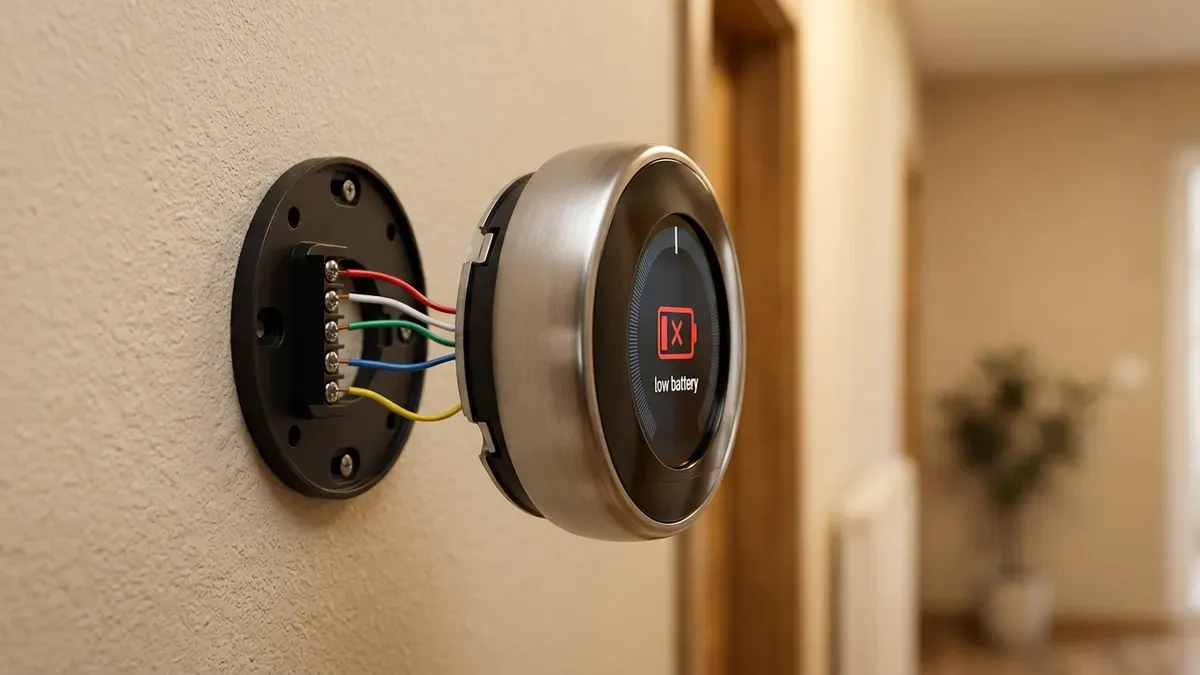
A Nest thermostat with a low battery is almost never a battery problem. Most Nest models charge their battery from your heating and cooling system, so a battery that keeps running down means the thermostat isn’t getting enough power from the HVAC wires. The usual causes are a missing C wire, HVAC power that’s switched off, or a loose wire. The exception is the Nest Thermostat (2020), which uses replaceable AAA batteries as backup.
Last updated: October 2026. Based on Google Nest support documentation and typical U.S. HVAC wiring.
How Nest thermostats get their power
| Model | Battery | How it’s powered |
|---|---|---|
| Nest Learning Thermostat (1st to 3rd gen) | Built-in rechargeable | Charges from the HVAC wires |
| Nest Thermostat E | Built-in rechargeable | Charges from the HVAC wires |
| Nest Learning Thermostat (4th gen) | Built-in rechargeable | Charges from the HVAC wires |
| Nest Thermostat (2020) | 2 AAA batteries (backup) | Runs on HVAC power; batteries keep it going during interruptions |
The best power source is a C (common) wire, which delivers steady 24-volt power. Without one, most Nest models use power stealing: they sip small amounts of power through the heating or cooling wires between cycles. That works in many homes, but some systems don’t allow enough current through, and the battery slowly drains.
Signs your Nest isn’t getting enough power
- A low battery warning, or the screen turning off.
- A blinking red light on the front of Learning models while the battery charges.
- The thermostat dropping off Wi-Fi or showing as offline in the app.
- A “Delayed” message on the display. See Nest “Delayed” message.
- The heat or AC turning on and off by itself, or the fan clicking. Power stealing can trip some systems.
- A “No power” alert or help code E448 or M20 in the Google Home app.
How to fix a Nest low battery
1. Charge or replace the battery first
- Nest Thermostat (2020): replace both AAA batteries with fresh alkaline ones.
- Learning and Thermostat E models: take the display off the base and charge it with a USB cable for a few hours, until the battery level reads normal.
This gets the thermostat working again, but if the battery runs down again within days, keep going.
2. Make sure the HVAC system has power
Your thermostat can’t charge if the system is off. Check:
- The breaker for the furnace or air handler.
- The service switch near the furnace (it looks like a light switch).
- The furnace door: many furnaces have a safety switch that cuts power when the door panel isn’t fully closed.
A furnace that won’t turn on can’t power the thermostat either.
3. Check for a tripped float switch
On many cooling systems, a condensate float switch shuts the system down when the drain backs up. Depending on how it’s wired, that can also cut power to the thermostat. Look for water in the drain pan and see AC condensate line clogged.
4. Check the wiring in the app
In the Google Home or Nest app, open the thermostat’s settings and look at the equipment or wiring info. Wires shown in grey aren’t receiving voltage:
- All wires grey: the system has no power. Check the breaker, switch, door and fuse.
- Some wires grey: that wire is probably loose, or it was set up wrong in the app.
To reseat a wire, turn off power at the breaker, remove the display, press the terminal button, pull the wire out, straighten the copper end and push it back in until the button stays down. Use our thermostat wiring colors chart to confirm each wire is in the right place.
5. Check the fuse on the furnace control board
A short in the thermostat wiring can blow the small automotive-style fuse (often 3 or 5 amps) on the furnace or air handler control board. With the power off, look for a blown fuse on the board. If it blows again after you replace it, there’s a short in the wiring and you should call a technician.
6. Add a C wire or a power adapter
If your thermostat cable has no C wire connected, this is the permanent fix:
- Use a spare wire. Many cables have an unused wire (often blue or black) tucked behind the wall plate. It can be connected to C at both the thermostat and the furnace board.
- Install a power adapter. Google sells a Nest Power Connector for some models, and universal C-wire adapters work with others. Check compatibility in the Google Home app first.
- Run a new cable. If there’s no spare wire, an electrician or HVAC technician can pull a new thermostat cable.
For all the options, see smart thermostat without a C wire.
When to call a professional
Call an HVAC technician if the furnace fuse keeps blowing, you’re not comfortable working at the furnace board, or the system still has no power after you’ve checked the breaker, switch and door. If the thermostat has power but the heat or AC still won’t run, see Nest thermostat not cooling or heating.
Frequently asked questions
Why does my Nest battery keep dying?
Usually because the thermostat can’t draw enough power from the HVAC wires. Without a C wire, it relies on power stealing, which doesn’t work well with every system. Adding a C wire or a power adapter usually ends the problem for good.
How long does it take to charge a Nest thermostat?
Charging over USB usually takes a few hours. Once installed with steady power, the thermostat keeps itself charged.
Does the Nest Thermostat (2020) need a C wire?
It doesn’t always need one, but it works most reliably with one. The AAA batteries are only a backup, so if they drain quickly, the thermostat isn’t getting enough power from the system.
Is a low battery bad for my HVAC system?
The battery itself isn’t, but the power stealing that drains it can make some systems short cycle or the fan click on and off. Fixing the power supply protects both the thermostat and the equipment.
Disclaimer: this guide is for general information only. HVAC systems involve high voltage. When in doubt, contact a licensed HVAC professional.