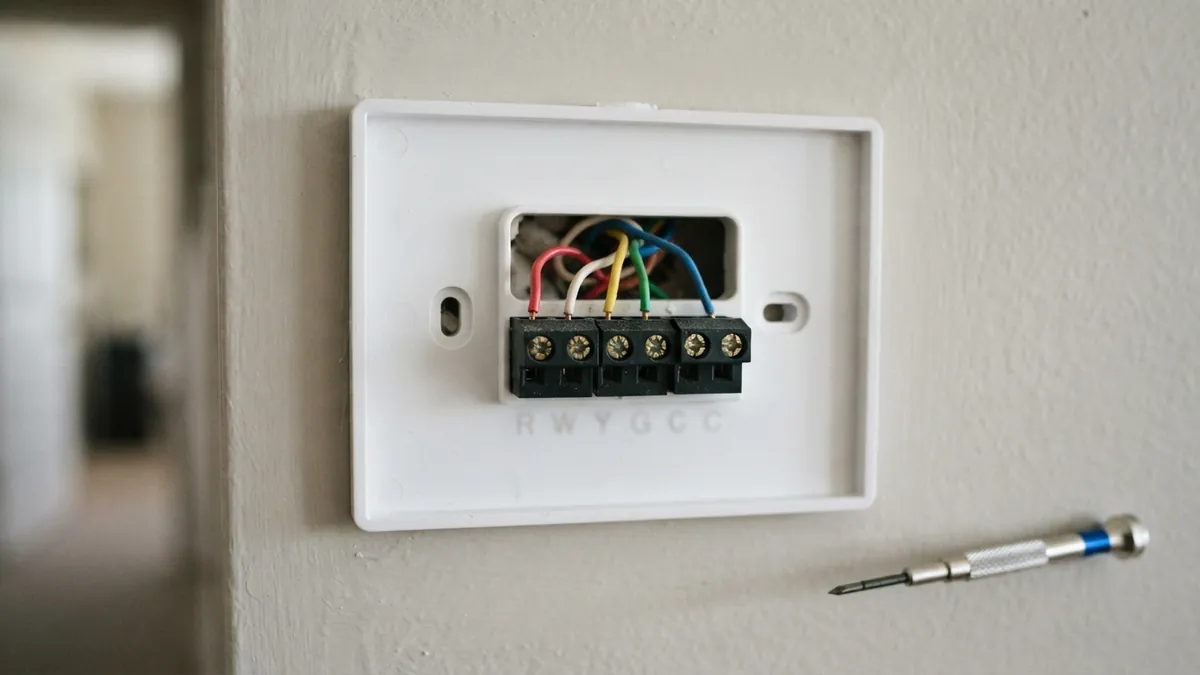
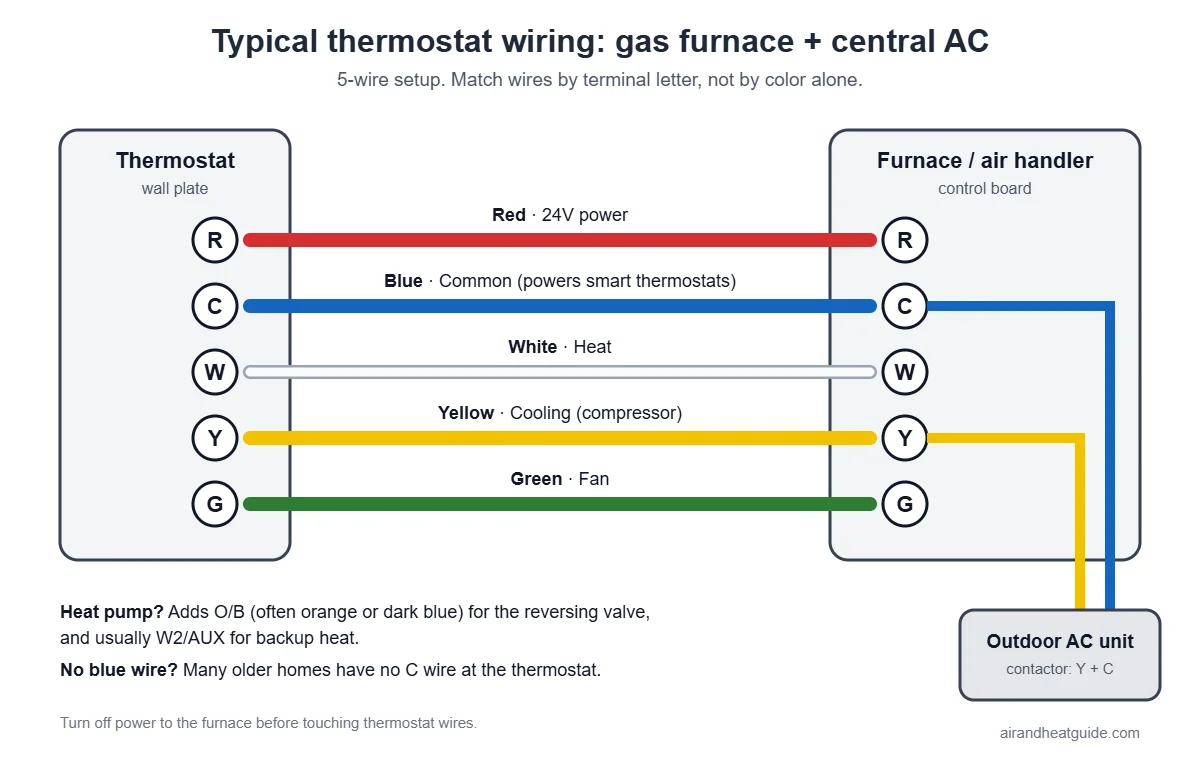
Most thermostat wires follow a standard color code: R (red) is 24-volt power, W (white) calls for heat, Y (yellow) calls for cooling (the compressor), G (green) controls the fan, and C (blue or black) is the common wire that completes the circuit to power smart thermostats. Heat pumps add O/B (often orange or dark blue) to control the reversing valve. But colors are a convention, not a rule; installers sometimes use whatever wire is available, so always go by the terminal letters, not the color alone.
Thermostat terminal and wire color chart
| Terminal | Common wire color | What it does |
|---|---|---|
| R | Red | 24-volt power from the transformer |
| Rh | Red | 24-volt power for heating (two-transformer systems) |
| Rc | Red | 24-volt power for cooling (two-transformer systems) |
| C | Blue or black | Common: completes the 24-volt circuit; powers smart thermostats |
| W or W1 | White | Heat (first stage) |
| W2 or AUX | Brown, white or other | Second-stage or auxiliary/backup heat |
| E | Varies | Emergency heat (heat pumps) |
| Y or Y1 | Yellow | Cooling (compressor), first stage; also heat on heat pumps |
| Y2 | Light blue or other | Second-stage compressor |
| G | Green | Indoor blower fan |
| O/B | Orange or dark blue | Heat pump reversing valve (O energizes in cooling, B in heating) |
| L or S | Varies | System fault indicator or outdoor sensor (some systems) |
R, Rh and Rc
Most homes have a single transformer, so R and Rc (or Rh) are connected by a jumper on the old thermostat or the new one handles it automatically. If you have two separate red wires going to Rh and Rc, your heating and cooling likely use separate transformers; keep them separate.
O vs. B on heat pumps
Most heat pump brands energize the reversing valve in cooling (O setting). Some, historically including Rheem and Ruud, energize it in heating (B setting). If a new thermostat heats when it should cool and vice versa, the O/B setting in the thermostat’s menu is wrong. See heat pump blowing cold air in heat mode.
Typical wiring by system
| System | Typical wires |
|---|---|
| Gas furnace + central AC | R, C, W, Y, G |
| Heat pump with backup heat | R, C, Y, G, O/B, W2 (aux) |
| Two-stage furnace + AC | R, C, W1, W2, Y, G |
| Heat-only (furnace, no AC) | R, W (sometimes G, C) |
| Boiler (heat only) | Often just 2 wires: R and W |
Before you replace a thermostat
- Turn off power at the breaker for the furnace or air handler.
- Take a photo of the existing wiring, with the terminal letters visible.
- Label each wire with the letter of the terminal it was on (most new thermostats include stickers).
- Check for a C wire. If none is connected, look in the wall for an unused wire tucked behind. See how to install a smart thermostat without a C wire.
- Connect by letter, not by color.
Common wiring mistakes
- Connecting the wire to the terminal that matches its color instead of the letter it was on.
- Leaving out the C wire on a smart thermostat, leading to a blank thermostat screen or random reboots.
- Wrong O/B setting on heat pumps.
- Loose wires that touch each other and blow the furnace fuse.
Wired correctly but still not working? See Honeywell thermostat not working, Nest thermostat not cooling or heating or the Nest “Delayed” message.
Frequently asked questions
What color is the C wire?
Usually blue, sometimes black. But check the furnace end: the C wire connects to the “C” or “COM” terminal on the control board.
Can I use the G wire as a C wire?
It’s possible with a power adapter or by reconfiguring, but you’ll lose independent fan control. A C-wire adapter kit is usually better.
What happens if thermostat wires are connected wrong?
The system may not run, may heat instead of cool, or you may blow the 3- or 5-amp fuse on the furnace control board.
Disclaimer: this guide is for general information only. Turn off power at the breaker before touching thermostat wiring. Contact a licensed HVAC professional for electrical diagnosis.