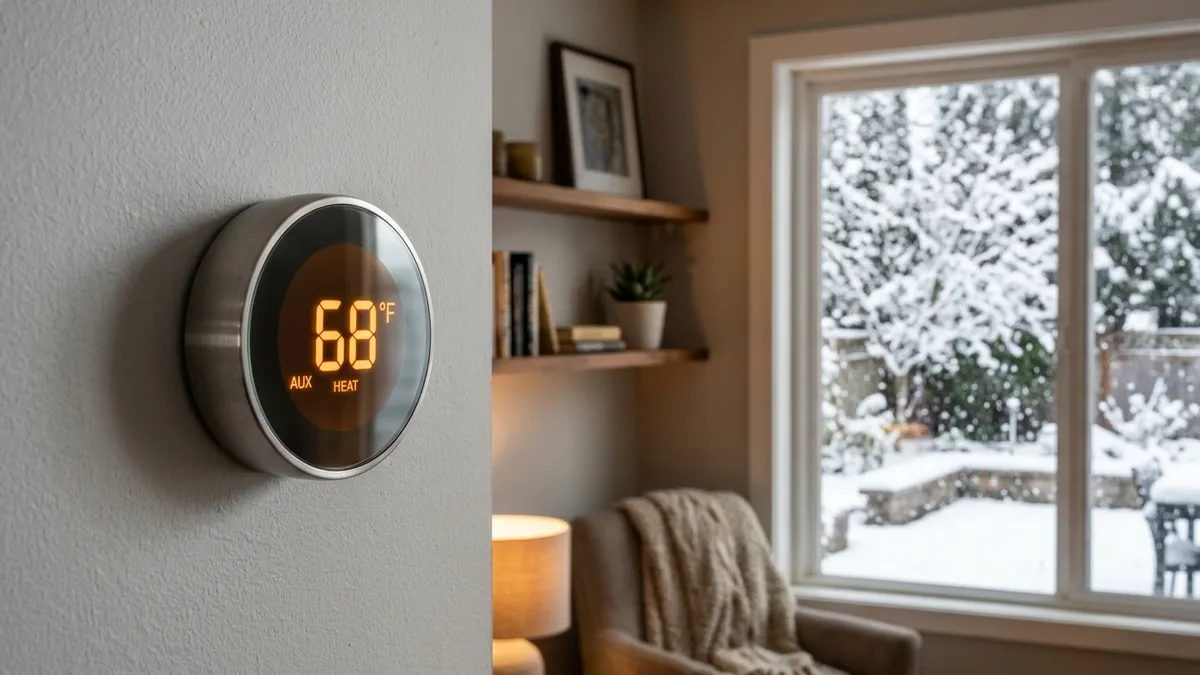
If your Nest thermostat keeps showing AUX and your heating bill is climbing, the setting to look at is Heat Pump Balance. It decides how quickly the thermostat brings on auxiliary (backup) heat when your heat pump can’t keep up, and the default, Max Comfort, uses aux heat the most. Switching to Balanced or Max Savings, and avoiding big temperature setbacks, usually cuts aux heat use a lot. Google notes that aux heat can cost about 2 to 5 times as much to run as the heat pump itself.
Last updated: November 2026. Based on Google Nest Help documentation for Nest thermostats with heat pumps.
What aux heat is and why it’s expensive
A heat pump moves heat from outdoor air into your home. It’s very efficient, but its output drops as the outdoor temperature falls. Auxiliary heat, usually electric resistance strips in the air handler (or sometimes a furnace), adds heat when the heat pump alone can’t keep up.
Electric strips turn electricity directly into heat, while a heat pump moves several times more heat than the electricity it uses. That’s why running aux heat costs so much more. Some aux heat is normal in very cold weather or when you raise the temperature a lot; constant aux heat in mild weather is not. For how this differs from emergency heat, see heat pump emergency heat.
What Heat Pump Balance does
Heat Pump Balance is a Nest setting for heat pumps with aux heat. Instead of you choosing an outdoor temperature at which aux heat is allowed (a lockout temperature), the thermostat adjusts that temperature itself, based on how your heat pump is actually performing.
| Setting | How it uses aux heat | Best for |
|---|---|---|
| Max Comfort (default) | Highest lockout temperature, so aux turns on sooner and more often to reach your setpoint quickly | Homes where comfort comes first |
| Balanced | Lockout temperature between Max Comfort and Max Savings | Most homes |
| Max Savings | Lowest lockout temperature, so aux turns on later and less often | Homes with a capable heat pump and high electricity prices |
| Off | Uses a lockout temperature you set manually | Owners or installers who want full control |
Google notes that results depend on your system: some heat pumps rarely need aux heat, while others will still use it on Max Savings in very cold weather.
How to change Heat Pump Balance
The steps depend on your thermostat and app:
- Google Home app, Nest Learning Thermostat (4th gen): Equipment > Heat pump, turn on Use Heat Pump Balance, then choose a level.
- Google Home app, Nest Thermostat: Settings > Temperature Preferences > Heat Pump Balance.
- Nest app: Settings, select your thermostat, then Heat Pump Balance.
- On a Nest Learning Thermostat: press the ring for Quick View, then Settings > Nest Sense > Heat Pump Balance.
Heat Pump Balance needs a Wi-Fi connection, and it isn’t available for dual-fuel systems (a heat pump with a gas furnace as backup); those need a lockout temperature set manually.
Other reasons a Nest uses too much aux heat
If aux heat still runs a lot after you change Heat Pump Balance, check these:
- Large setbacks. Lowering the temperature 6 to 8 degrees at night means the system has to climb a long way in the morning, and the thermostat may bring on aux heat to get there. With a heat pump, a smaller setback of 2 to 3 degrees, or none, often costs less.
- Big manual changes. Raising the setpoint several degrees at once can trigger aux heat. Raise it 1 or 2 degrees at a time.
- Early-On. This feature starts heating early to reach scheduled temperatures on time, and can lean on aux heat. Heat Pump Balance is designed to work with it, but turning Early-On off can help on a struggling system.
- Defrost cycles. The heat pump periodically reverses to melt frost off the outdoor coil, and many systems run aux heat during defrost so you don’t feel cold air. That’s normal. See heat pump defrost mode.
- A heat pump problem. If the heat pump itself isn’t heating well, from low refrigerant, a dirty coil, a failing compressor or a reversing valve problem, the thermostat will lean on aux heat to compensate. If aux runs constantly in mild weather (above about 40°F), have the heat pump checked. See heat pump blowing cold air.
- Wiring or setup errors. If the aux wire is connected to the wrong terminal, or the heat pump was set up as a different system type in the app, the thermostat may call for the wrong equipment. See thermostat wiring colors.
How much aux heat should a heat pump use?
It depends heavily on climate and the heat pump. In mild climates, a well-sized heat pump may barely use aux heat at all. In cold climates, older or standard heat pumps may need it regularly below about 30°F, while modern cold-climate heat pumps can often heat without it well below freezing. See do heat pumps work in cold climates and how much electricity a heat pump uses.
Nest vs. ecobee aux heat settings
Ecobee thermostats handle this differently, with settings such as aux heat max outdoor temperature and compressor min outdoor temperature. If you’re comparing the two or have an ecobee, see ecobee aux heat running too much.
Frequently asked questions
Why does my Nest say AUX?
It means the thermostat is running your auxiliary heat, usually electric heat strips, alongside or instead of the heat pump. That’s normal in very cold weather, when raising the temperature a lot, or during defrost.
Is it bad if my Nest uses aux heat?
Not bad for the equipment, but expensive. Occasional aux heat is normal. Constant aux heat in mild weather points to a setting, schedule or heat pump problem.
Should I use Max Savings?
If your heat pump keeps your home comfortable most of the winter, Max Savings or Balanced usually saves money. If the house gets too cold on the coldest days, switch back to Balanced.
Does Heat Pump Balance work without Wi-Fi?
No. The thermostat needs Wi-Fi to use Heat Pump Balance.
Disclaimer: this guide is for general information only. Menu names can change with app updates; check Google Nest Help for your model. When in doubt, contact a licensed HVAC professional.